


Sketchup Resources
- SKP for iphone/ipad
- SKP for terrain modeling
- Pool Water In Vray Sketchup
- Rendering Optimization In Vray Sketchup
- Background Modification In sketchup
- Grass Making with sketchup fur plugin
- Landscape designing in
Sketchup - Apply styles with sketchup
- Bedroom Making with sketchup
- Review of Rendering Software
- Enhancing rendering for 3d modeling
- The combination of sketchup &
BIM - Exterior Night Scene rendering with vray
Author :
Cover Story
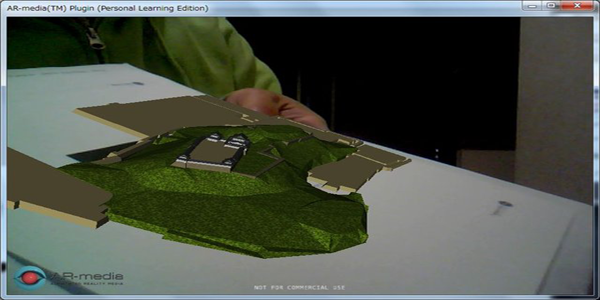
Augmented Reality is a way to direct view of a physical, real world environment of which elements are all augmented by computer generated sensory input. It is a fusion of real and virtual world. It is called the mediated reality, in which sector the view of reality is modified possibly diminished by a computer. And as per the result of this, the technology called augmented reality functions by enhancing viewer’s current perception of reality. You can say that, virtual reality replaces the real world with a simulated once.
 |
Now Augmented Reality or AR is a hot and crispy topic on the web. With the growing interest in this sector in last two years this technology has changed the information sharing system a lot. Now people are having better understanding especially in the sectors like architecture. There are many augmented reality plug ins for Google SketchUp available. In the sector of 3D modeling it creates a live video stream with the 3D model to create the illusion of that model like it is a physical object in the real world.
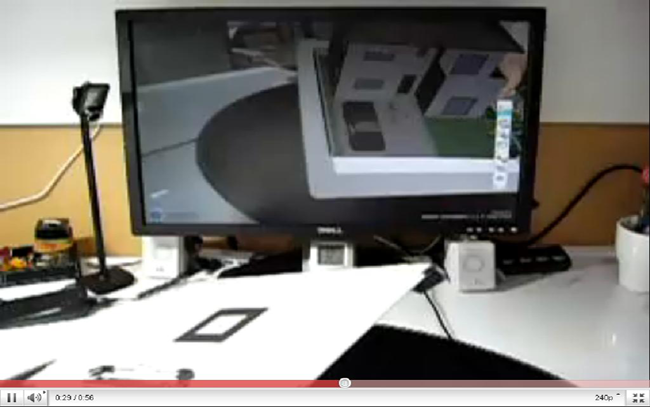
To make AR work for SketchUp you need some things like a webcam or a build in webcam with the laptop, a 3D model made of SketchUp, a printed out paper target and lastly the AR software itself who put all the things together. The concept of augmented reality has been applied to futuristic interfaces.
There are some plug ins like AR Media plug ins for SketchUp with which help you can see the SketchUp models in augmented reality. With the help of this plug in you can place the 3D models over the live video from your webcam and move it around. This AR Media Plug ins help you to calculate the planes on the live footage. And it is possible for the sheet you have printed out already that allows the software to calculate the distance and inclination.
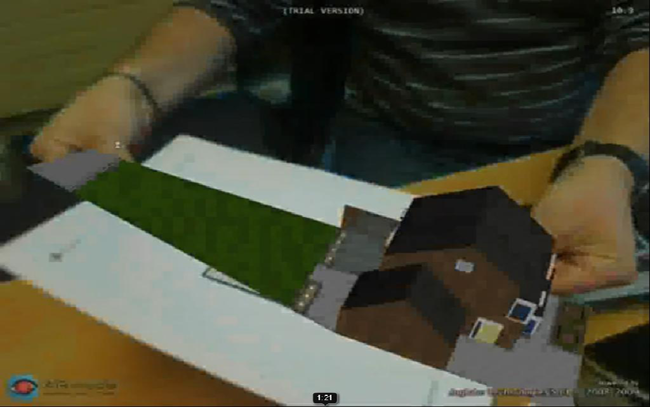 |
With the help of this plug in you can see the model virtually. And this definitely helps to have a better understanding of your SketchUp model. All you have to do is just downloading the free Google SketchUp, managing a webcam and the pro or free (for 30 seconds only) version of AR Media plug in. Now you can draw a 3D model or download from Google 3D Warehouse and make a print out on the paper. And you are prepared to play with your SketchUp model virtually in the real world.
AR Media is created by our friend Inglobe Technologies. It is an Italian company which is creating a wave in the world of technology by introducing AR Media Plug in. Modelers can distribute and show 3D models virtually to their clients. It will help them to have a better communication with their clients. The virtual model also helps them to analyze the model in depth. So don’t wait guys! At first download the AR plug in from the web and start to play with it to create a virtual world really.