
sketchup, sketchup tutorials, sketchup tips, sketchup plugins, armedia, vray


Sketchup Resources
- SKP for iphone/ipad
- SKP for terrain modeling
- Pool Water In Vray Sketchup
- Rendering Optimization In Vray Sketchup
- Background Modification In sketchup
- Grass Making with sketchup fur plugin
- Landscape designing in
Sketchup - Apply styles with sketchup
- Bedroom Making with sketchup
- Review of Rendering Software
- Enhancing rendering for 3d modeling
- The combination of sketchup &
BIM - Exterior Night Scene rendering with vray

Author :
CORRECTING TEXTURES THAT ARE NOT REFLECTING
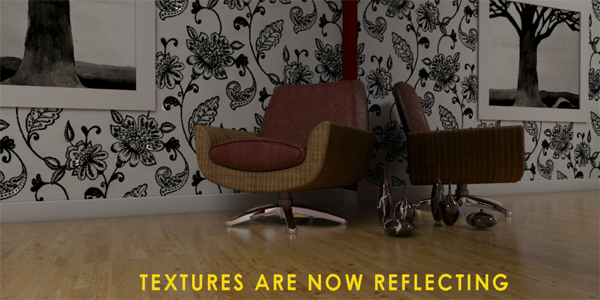
Have you wonder having the same vray result in your render? Textures that are not reflecting like the image below?
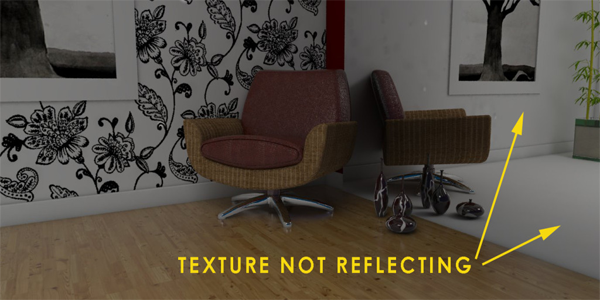
This is a simple tip how to correct this.
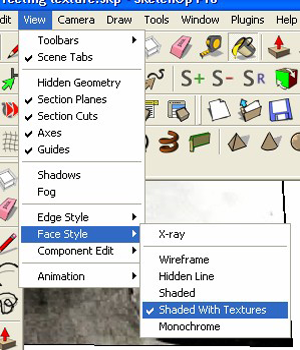
Step 1: Monochrome view.
Go to Face style and select Monochrome
In this monochrome view, you will notice that those textures that are not reflecting were actually inverted (reverse or negative face).
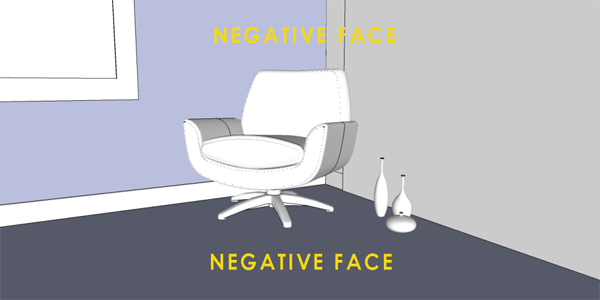
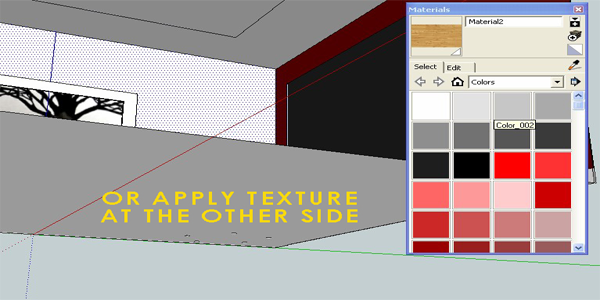
Step 2: Reverse face and apply texture
The easiest way to correct this is by reversing the inverted faces and apply the texture.
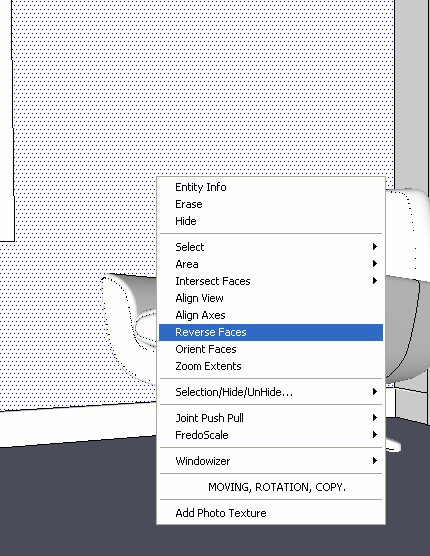
Or apply the same texture on the other side.
b. by Vray Material Editor. White color in the transparency slot means 100% transparent.
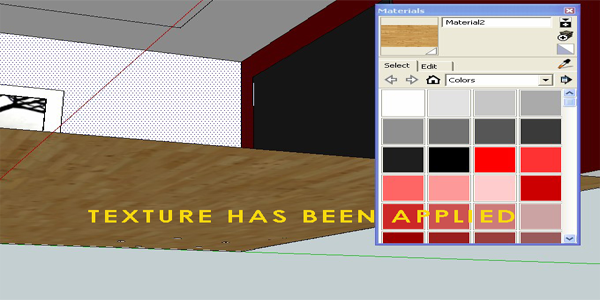
Textures are reflecting correctly.
What do you think about this article